October 31, 2026
Send a vector file first. An AI, EPS, SVG or vector PDF logo can be resized to any product without losing sharpness. Keep a transparent PNG for screens and a high-resolution JPG as a backup. That set covers almost every branded merchandise order, from pens to shirts to bottles.
This guide explains each format in plain words. It shows what to send for print, embroidery and web. It also covers what to do if you only have a small, blurry logo.
TL;DR
- Vector files (AI, EPS, SVG, vector PDF) are the best choice for printing and embroidery. They scale to any size.
- PNG and JPG are raster files. They suit websites, emails and documents, but can look soft when enlarged.
- Always keep one vector master, one transparent PNG and one JPG of your logo.
- Check colour values, fonts and file size before you send artwork to a supplier.
- If you only have a low-resolution logo, we can help. Our artwork team rebuilds it for free.
Table of Contents
- Vector and raster: the difference that matters
- The main logo file formats at a glance
- AI and EPS: your print masters
- SVG: best for screens
- PDF: handy, but check what is inside
- PNG: the everyday workhorse
- JPG: use with care
- Which format to send for which product
- Colour: CMYK, RGB and Pantone
- What to check before you send artwork
- What if you only have a low-resolution logo?
- Perspective: what we see most often
- Get your artwork checked by us
- If your logo needs a refresh
- Which files to ask your designer for
- FAQ
- Sources
Vector and raster: the difference that matters
Every logo file is one of two types. Knowing which one you have solves most artwork problems.
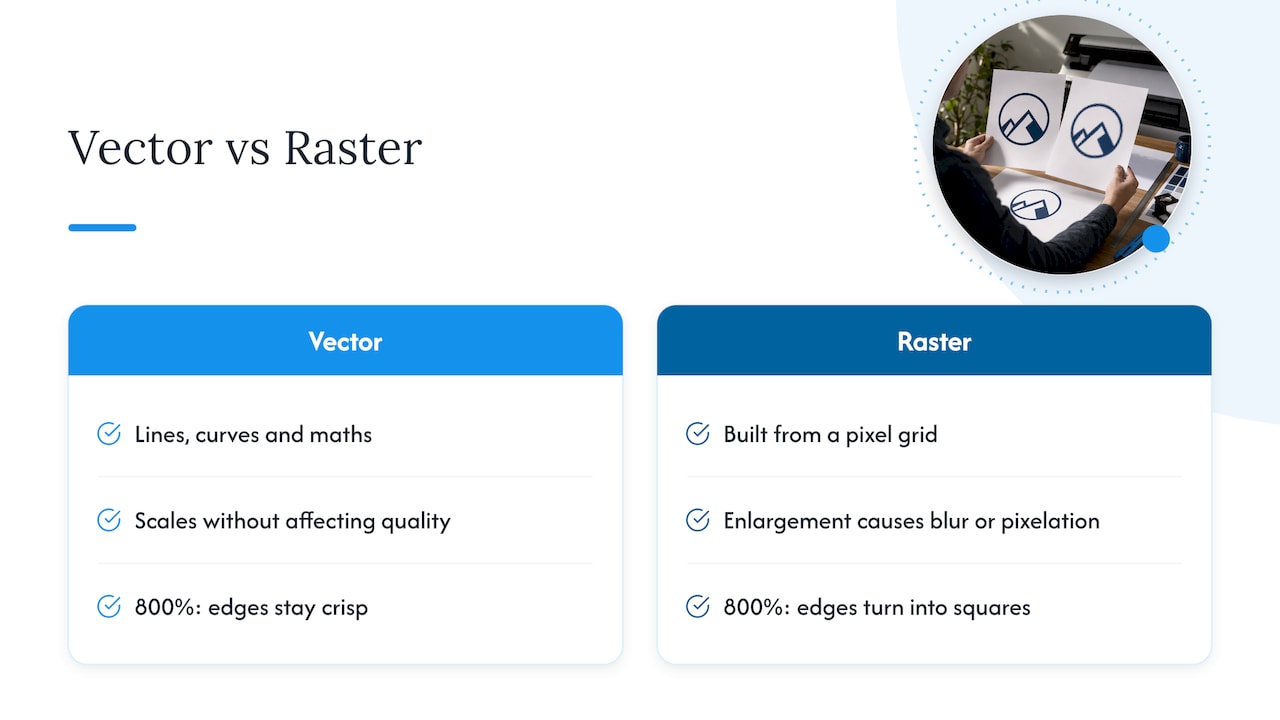
Vector files describe your logo with lines, curves and maths. Vector graphics can be scaled up or down without affecting quality. The same file works on a pen barrel and on a banner.
Raster files are built from a grid of pixels. Enlarge them and the pixels show. Raster images that are enlarged past their original resolution turn pixelated or blurry. That is why a logo that looks fine on your website can look rough on a printed tote bag.
A simple rule: if you can zoom in 800% and the edges stay crisp, it is vector. If the edges turn into squares, it is raster.
Why this matters for merchandise
Promotional products come in many sizes. A logo on a pen is about the size of a thumbnail. A logo on a banner or the back of a hoodie is many times larger. A vector master lets us size your logo for each product from one file.
The main logo file formats at a glance
| Format | Type | Best for | Transparent background | Notes |
|---|---|---|---|---|
| AI | Vector | Master file, print, embroidery prep | Yes | Native Adobe Illustrator file |
| EPS | Vector | Print and supplier artwork | Yes | Widely accepted by printers |
| SVG | Vector | Websites and apps | Yes | Also usable for print in many cases |
| Vector or raster | Proofs and print | Yes | Only vector if saved from vector artwork | |
| PNG | Raster | Web, email, documents | Yes | Needs high resolution for print |
| JPG | Raster | Photos, quick sharing | No | Compressed, so edges can blur |
The split between formats follows common guidance. AI is the native editing format, EPS is used mainly for print, and SVG is used for the web. On the raster side, JPG suits sharing images and lighter web pages. PNG supports transparency and holds quality better than JPG.
AI and EPS: your print masters
An AI file is the file your designer made in Adobe Illustrator. It holds layers, colours and shapes you can edit. Keep it safe. Everything else can be made from it.
An EPS file is a more universal vector format. Many printers and suppliers ask for it because it opens in a wide range of software. If your designer did not give you one, ask for it. Exporting an EPS from the AI master takes a few seconds.
Two checks before you send either file:
- Fonts. If the file uses live text and the supplier does not have your font, the text can change. Ask your designer to convert text to outlines. The Aura Print guide notes that incorrect font handling can cause print problems.
- Linked images. If a photo or effect is linked and not embedded, it can go missing. Embed everything.
SVG: best for screens
SVG is a vector format built for the web. It stays sharp on any screen, from a phone to a large monitor, and the file is small. Use it on your website and in digital tools.
For merchandise, many suppliers prefer AI, EPS or PDF. If you only have an SVG, send it anyway. It is still a vector file and we can usually work from it.
PDF: handy, but check what is inside
A PDF can hold vector artwork or a flat picture. The file extension does not tell you which. A PDF saved from Illustrator with vector shapes is a good print file. A PDF made by placing a screenshot in a document is not.
Open the PDF and zoom in a long way. If the logo stays sharp, it is vector and safe to send.
PNG: the everyday workhorse
PNG keeps a transparent background. That means your logo can sit on a coloured shirt mockup, a slide or a website banner without a white box around it.
PNG is a raster format, so size matters. Save a large version, for example 3000 pixels wide, and keep it as a spare. A small 200 pixel PNG is only fit for a web footer.
JPG: use with care
JPG is compressed and has no transparency. Your logo will sit on a white or coloured rectangle. Each time a JPG is saved again, it loses a little detail. Fuzzy edges and faint smudges around letters are typical signs.
JPG is fine as a quick reference or a last resort. It is not the file to build your merchandise around.
Which format to send for which product
Different decoration methods use your artwork in different ways. Here is a practical guide.
| Product or method | Send first | Also useful |
|---|---|---|
| Pens, drink bottles, mugs (pad or screen print) | Vector AI, EPS or PDF | PNG for preview |
| T-shirts, hoodies (screen print, heat transfer) | Vector AI, EPS or PDF | Pantone references |
| Polos, caps, jackets (embroidery) | Vector AI, EPS or PDF | Stitch count notes, thread colours |
| Tote bags, paper bags | Vector AI, EPS or PDF | PNG for preview |
| Banners, flags, bunting | Vector AI, EPS or PDF | Colour references |
| Digital use (website, email) | SVG or PNG | JPG |
In every row, the vector file comes first. It is the one format that suits all of them.
Embroidery needs extra preparation
Embroidery does not print ink. It sews thread, so fine lines, tiny text and soft gradients do not translate well. The machine runs from a stitch file, which is made from your logo in a step called digitising. A clean vector logo makes that step faster and more accurate.
If you are choosing between embroidery and printing for a shirt order, read our guide on embroidery vs printing logos. It explains how each method treats fine detail.
Small orders and apparel
For shirts, the print method also depends on quantity. Our guide to heat transfer vs screen printing covers what suits smaller runs. The logo size on the garment matters too. We list the rules in our logo size on shirts guide.
Colour: CMYK, RGB and Pantone
A logo can look different on screen and in print. This is because screens and printers make colour in different ways.
- RGB is for screens. It mixes red, green and blue light.
- CMYK is for standard printing. It mixes cyan, magenta, yellow and black ink.
- Pantone (PMS) is a matching system with numbered colours. It helps keep a brand colour the same from one product to the next.
If your brand has a key colour, such as a specific blue, find its Pantone reference in your brand guidelines and give it to your supplier with the artwork. Bright colours on screen, such as vivid greens and blues, can look duller when printed in CMYK. That is normal. A Pantone reference helps us match as closely as the product and method allow.
Our branding guide is a good place to see how colour, logo and product choices fit together.
When transparency matters
If your logo sits inside a white box, the box may print. Send a version with a transparent background. Vector files and PNG both support this. JPG does not.
What to check before you send artwork
Use this short list. It prevents most delays.
- Is there a vector version? Look for AI, EPS, SVG or a vector PDF.
- Are fonts outlined? Text should be converted to shapes.
- Is the background transparent? Remove any white box.
- Are colours defined? Note CMYK or Pantone values.
- Is the resolution high enough? For raster files, aim for at least 300 DPI at the final print size.
- Is the file name clear? For example,
company-logo-primary-black.eps.
We cover the resolution check in more detail in our guide to 300 DPI file checks. Designers can use our five preflight checks for print-ready artwork. For where a logo sits on a product, see our logo placement guidelines.
What if you only have a low-resolution logo?
This is common. Many businesses only have a small JPG saved from a website or an old email.
You have three options.
- Find the original. Ask the designer who made your logo, or check old brand folders. The AI or EPS file may still exist.
- Check other sources. A past printer or sign maker may hold a vector copy from an earlier job.
- Have it rebuilt. A designer can redraw your logo as a vector from the small image. This is often called vectorising. It takes the shape of your logo and rebuilds it cleanly.
Do not enlarge a small JPG in an image editor and hope for the best. The software adds pixels but not detail. The edges stay soft.
With us, you do not need to solve this alone. Send what you have and our team will tell you whether it is usable.
Perspective: what we see most often
We handle logo files for businesses every day. The same few issues come up again and again.
The most common one is a logo supplied only as a small JPG. The business loves the logo. The file just cannot do it justice at print size. That is why we offer free artwork design, so a file problem does not stop a good order.
The second is colour. A logo that looks one way on a monitor can look different on a pen or a bag. Telling us the exact colour early saves a lot of back and forth.
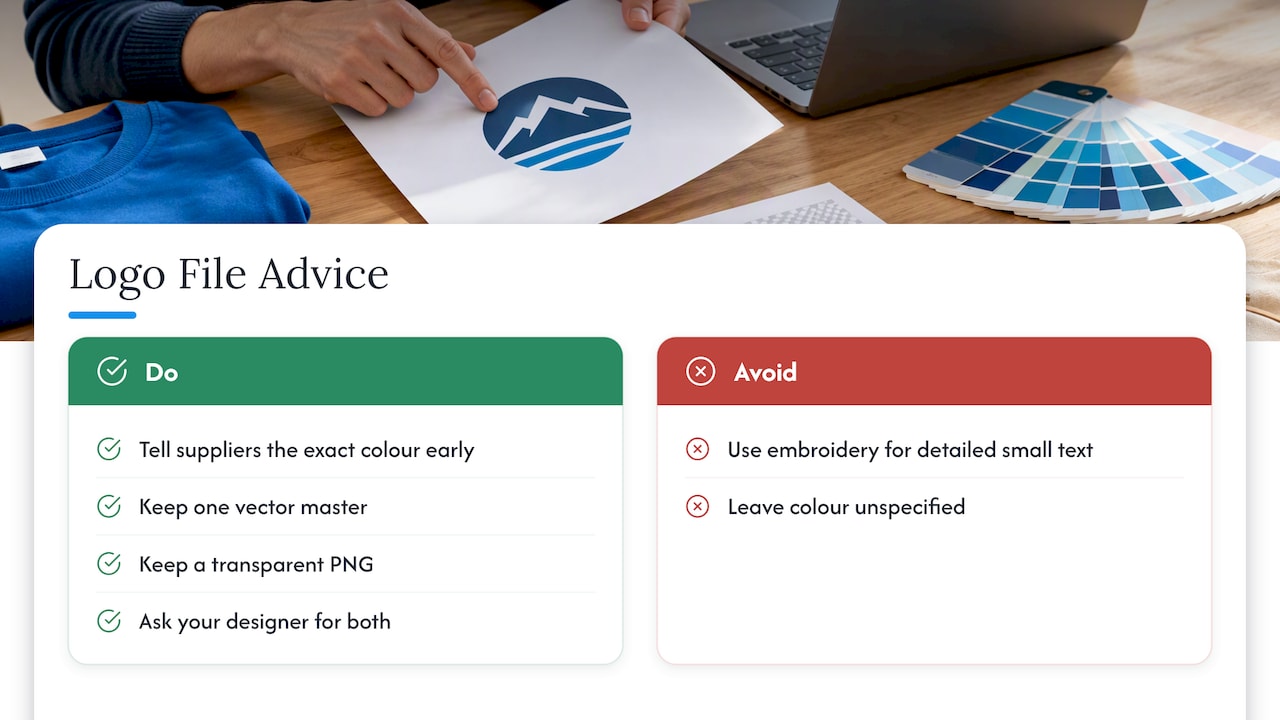
The third is the wrong method for the logo. A detailed logo with small text might suit printing better than embroidery. A simple bold logo may look great stitched. We would rather suggest the right method than take an order that disappoints you.
Our advice is simple. Keep one vector master. Keep a transparent PNG. Ask your designer for both when the logo is made. It costs nothing at that stage and saves time on every order after.
— PromoShop
Get your artwork checked by us
You do not need to be a designer to order branded merchandise. PromoShop offers free artwork design and custom branding across clothing, bags, drinkware, pens, corporate gifts and more. Our team sources factory-direct and backs orders with a Price Beat Guarantee.
Send your current logo, whatever format it is in, and we will tell you what we can do with it. Explore our custom branding service or browse the full range.
If your logo needs a refresh
Sometimes a file problem points to a bigger one. The logo is dated, or it never had a proper vector version. Before you commission a redesign, it helps to understand rebranding costs and timing. If you do update your logo, ask for the full file set at the same time: AI, EPS, SVG, PDF and PNG.
Which files to ask your designer for
A complete logo package avoids most future problems. Ask for these:
- Primary logo in full colour, as AI, EPS, SVG, PDF and PNG.
- Single-colour versions in black and white. These suit pens, pads and engraving.
- Reversed version for dark backgrounds and coloured garments.
- Icon or small version for tiny spaces, such as a pen barrel or a badge.
- A short colour sheet with CMYK, RGB and Pantone values.
Businesses need several file types because each type has a different use. One folder with all of these means you can brief any supplier in minutes.
FAQ
What is the best file format for a logo?
A vector file is best. AI, EPS, SVG and vector PDF all scale to any size without losing quality. For websites, add a transparent PNG or an SVG.
Can I print a logo from a JPG or PNG?
Sometimes. A large, sharp PNG or JPG can work for some products. A small or blurry one will look soft when printed. If your file is low-resolution, our artwork team can advise on a rebuild.
Do I need a different file for embroidery?
You can send the same vector logo. The embroidery supplier then converts it into a stitch file. Very fine detail and small text may need simplifying, so a quick artwork check helps.
What is the difference between CMYK and Pantone?
CMYK builds colours from four inks and suits most standard printing. Pantone uses numbered, pre-mixed colours that help match a brand colour exactly. Share your Pantone reference if colour accuracy matters.
Does my logo need a transparent background?
In most cases, yes. A transparent background stops a white box from showing on a coloured product. Use a vector file or a PNG to keep the transparency.
Sources
- Raster vs. vector: What are the differences? | Adobe
- Artwork Setup Guide: Bleed, CMYK and 300dpi | Aura Print
- How To Choose the Right Logo File Format | Shopify Australia